
When Should Your Business Replace Spreadsheets with a Custom CRM?
OEBKING Engineers
106 views
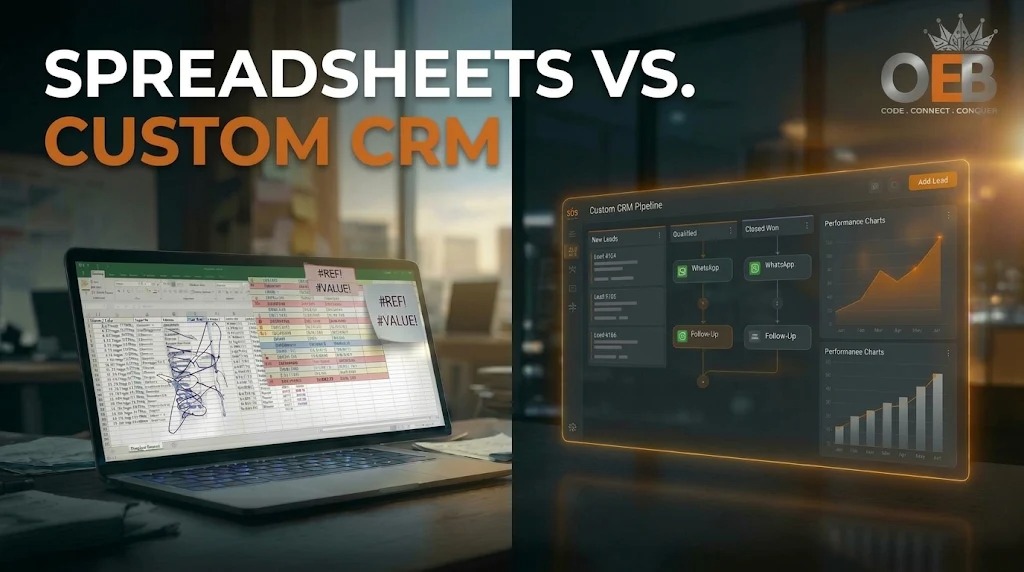
Every growing business starts with a spreadsheet. When you handle ten or twenty customer enquiries a month, Excel or Google Sheets can be enough. You can record a name, phone number and a short note without buying software or training your team.
The difficulty begins when more people and more enquiries depend on the same file. A salesperson may miss a follow-up because a row is hidden by a filter. Two employees may contact the same prospect. A misplaced edit can damage important information.
The question is not whether spreadsheets are old-fashioned. It is whether manual tracking is now costing your business more time and opportunities than a proper system would.
Why spreadsheets become difficult to manage
A spreadsheet is useful for storing information and working with numbers. It is not designed to manage a live sales process, assign leads, send reminders or keep every customer conversation in one place.
The pressure usually increases when a business has:
- More lead sources: Enquiries arrive through website forms, advertising campaigns, phone calls and WhatsApp.
- More people handling leads: Sales, operations and billing teams need different information and access.
- Longer sales cycles: A deal may involve qualification calls, quotations, follow-ups and document checks.
Research also shows why spreadsheet accuracy deserves attention. In a study of 50 operational spreadsheets, Stephen Powell, Kenneth Baker and Barry Lawson found that 94% contained at least one error. The average error rate was 1.79% of formula cells. This does not mean every spreadsheet is unreliable, but it does show why important business processes need checks and clear ownership. [Read the research](https://www.i-nth.com/bibliography/errors-in-operational-spreadsheets).
Custom CRM or off-the-shelf CRM: what is the difference?
CRM means Customer Relationship Management. It is a system for recording enquiries, tracking conversations, managing follow-ups and seeing where each deal stands.
An off-the-shelf CRM is ready-made software, such as HubSpot, Salesforce or Zoho. It can be quick to start using and may offer more features than a small team needs. However, your business may need to adjust its process to fit the software, pay for higher plans or use add-ons for certain integrations.
A custom CRM is built around your business's sales stages, team roles and workflows. It can connect the systems you already use and include only the features your operations require. It needs a larger initial investment, and hosting, maintenance and third-party services may still involve ongoing costs.
At OEBKING, a division of Hiqway Pvt. Ltd., we build custom CRM and business automation solutions around the way each organisation works. [About OEBKING](https://www.oebking.com/).
7 signs your business may have outgrown spreadsheets
1. New enquiries wait too long for a response
When a website or WhatsApp enquiry arrives, someone must notice it, record it and assign it. If this happens manually, a promising lead may wait hours.
A widely cited InsideSales.com study led by Dr James Oldroyd found that, for web-generated leads, the odds of making contact were 100 times higher when a call was made within five minutes rather than 30 minutes. The odds of qualifying the lead were 21 times higher. These are findings about contact and qualification in that study—not a guarantee of sales. [Read the lead response report](https://resources.insidesales.com/wp-content/uploads/2019/11/2014-Lead-Response-Report.pdf).
A CRM can capture enquiries automatically, assign them to the right person and trigger a prompt response, depending on the integrations configured.
2. Your sales team spends too much time updating records
Copying details between files, correcting entries and preparing status reports takes time away from customers. Salesforce's 2026 State of Sales report says sales representatives spend 60% of an average workweek on non-selling activities; 13% is spent manually entering data. [Read the report](https://www.salesforce.com/en-us/wp-content/uploads/sites/4/documents/reports/sales/salesforce-state-of-sales-report-2026.pdf).
3. Follow-ups depend on memory
Colour-coded cells and personal reminders are easy to overlook. A CRM can create follow-up tasks, show overdue callbacks and help managers see which enquiries need attention.
4. Customer information is spread across phones and inboxes
A spreadsheet may say “quote sent”, while the actual discussion sits in an employee's email or personal WhatsApp. If that person is away or leaves, others may not have the full context. A shared customer record can keep notes, documents and communication history together, subject to the integrations used.
5. Too many employees can see the full customer list
A shared file may give more people access to customer information than their roles require. Excel and Google Sheets do offer sharing controls, but a business may need more detailed permissions, such as allowing sales staff to see only their assigned leads. A custom CRM can be designed with role-based access and activity logs.
India's Digital Personal Data Protection Act, 2023 includes security safeguard requirements. Under the commencement notification published on 13 November 2025, Section 8 is scheduled to come into force 18 months later, on 13 May 2027. Businesses should check the applicable requirements and timelines rather than assume that installing a CRM automatically ensures compliance. [Read the official Gazette notification](https://egazette.gov.in/WriteReadData/2025/267647.pdf).
6. You cannot connect marketing activity to actual sales
Your spreadsheet may show how many enquiries arrived, but not which campaigns produced paying customers. Connecting lead sources and campaign details to a CRM can help you follow an enquiry from first contact to sale.
7. Your process needs more than a lead list
If you also need customer portals, approval steps, appointment routing or automatic document generation, a basic spreadsheet may no longer be suitable. For Modern Institute, OEBKING developed a CRM and digital examination platform with student and teacher portals, admissions and batch management, an examination system and automatic marksheet generation. [See the case study](https://www.oebking.com/).
Spreadsheets vs SaaS CRM vs custom CRM
| Factor | Spreadsheets | Off-the-shelf CRM | Custom CRM |
| ------------- | ------------------------------ | ---------------------------------------- | --------------------------------------------- |
| Best fit | Small teams with simple needs | Teams with standard sales processes | Businesses with specific workflows |
| Starting cost | Usually low | Often low | Higher development investment |
| Ongoing cost | Staff time and file management | Subscription and add-ons | Hosting, maintenance and third-party services |
| Workflow | Manually managed | Uses built-in features and configuration | Designed around agreed requirements |
| Access | File and sharing permissions | Depends on plan and product | Permissions defined for the project |
Which option should you choose?
Stay with spreadsheets if only one or two people manage a small number of enquiries and nothing important is being missed.
Choose an off-the-shelf CRM if you want to get started quickly and its standard features fit your sales process.
Consider a custom CRM if your team has complex workflows, needs specific integrations or portals, or finds that configuring existing software is becoming difficult or costly.
A custom system is not automatically the best choice for every business. The right option depends on your process, budget, team and future requirements.
Frequently asked questions
How long does a custom CRM take to build?
A focused lead-management CRM may take around 4–8 weeks. A larger system with portals, complex integrations or additional workflows may take longer. These are indicative estimates; the actual timeline depends on scope, approvals and testing.
Can existing Excel or Google Sheets data be moved into a CRM?
Yes. The data should first be reviewed for duplicates, missing details and inconsistent formats. After cleaning, it can be imported while retaining useful customer history.
Who owns the custom CRM and its data?
Ownership of source code, intellectual property, database, hosting and related rights should be clearly stated in the project agreement. Do not assume these terms are automatic; agree on them before development begins.
Make sure your system keeps up with your business
Spreadsheets are useful when a business is starting out. But as enquiries, people and processes grow, manual tracking can make everyday work harder.
Start by checking how quickly your team responds to new enquiries, how much time it spends updating records and who can access customer information. Those answers will help you decide whether to improve your spreadsheet, adopt an existing CRM or consider a custom system.
If your current process is becoming difficult to manage, explore [OEBKING's Revenue Automation and Custom CRM services](https://www.oebking.com/) or request a consultation with our engineering team to discuss your requirements.
Leave a comment
Your email address will not be published. Required fields are marked *